

When you use your digital camera to capture images, they are stored on a memory card until you transfer them to your computer or to another medium or device for backup. From your memory card to storage and backup, you should consider a few options when planning your digital workflow.
Memory Cards
There are number of different types of memory cards on the market including Compact Flash, Sony Memory Stick, SD (Secure Digital) / SDHC (Secure Digital High Capacity), xD, Smart Media, and micro SD to name most. Of these, only Compact Flash (CF) and secure Digital High Capacity (SDHC) are commonly used in Digital SLRs these days.
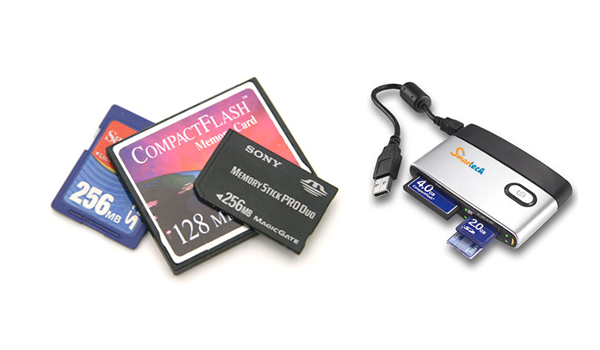
Memory cards are small and very sensitive electronic devices that you should handle with care. Some precautions you must take with Memory Cards.
- Do not place them near strong magnetic sources, drop them, or mangle them – you could lose all your images.
- Make sure you label your name and contact information, just in case you misplace it.
- Don’t remove the memory card while files are still being transferred.
- Do format your memory card in-camera and not in-computer.
- Don’t use a memory card from another camera without formatting it first.
- Having multiple memory cards on hand is always a good idea.
- From security standpoint, instead of using 32 GB memory card you can split up four 8 GB memory cards to reduce the data loss risk.
- Some high end digital SLRs offer Dual Slots. This gives you an instant backup in case pictures on your primary card become corrupt or erased. Ideally, your two cards should be equal in size.
External Hard Drives
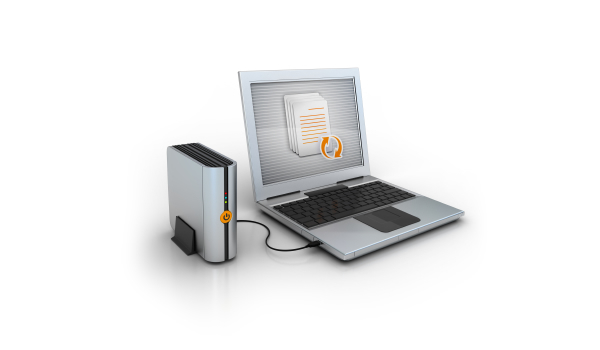
External hard drives provide an excellent way to back up your data or supplement the storage capacity of the hard drive inside your computer. They are convenient to use because once they are connected to your computer through a USB, they appear as just another hard drive on your computer. They also offer high storage capacity – hundreds of gigabytes to several terabytes – in one package.
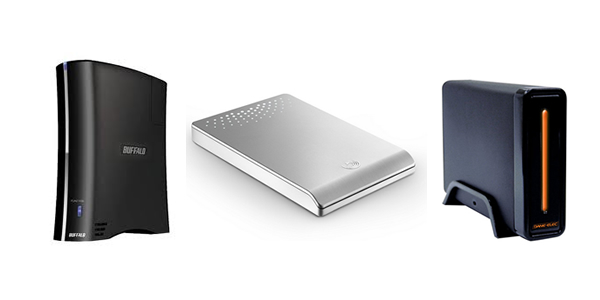
A hard drive is a mechanical device with a lot of moving parts, and after a while, all that disks spinning and drive head moving takes its toll and a mechanical failure occurs. When this happens, your drive will most likely become unusable. While there are services that can attempt to get your data off the drive, they usually charge around $1,000 with no guarantee of success.
Some Precautions you must take with External Hard Drives
- Instead of using manual backup use backup software like Roxio Retrospect, Techsoft MirrorFolder, etc.
- To ensure the safety of your images, I strongly recommend making multiple copies of your backup and storing at least one of those copies at a separate physical location.
- Here is an idea for Multiple Backup Storage. Use 3 External Hard Drives; name it like Red, Green and Blue. Red always stays right next to your computer. When you are done with photo shoot, you always download to Red first. After downloading to Red, you get the Green hard drive and copy the images to it. Green is at your house but hidden. You figure this might help protect data if you ever get robbed. About once a month you’ll take Green to your remote location (that remote location would be Bank Safe Deposit Box, your Close Friend’s home and whichever you feel it’s very safe) and swap him out with Blue. After leaving Green at remote location you’ll bring home Blue and backup your images to that drive. About a month later, you can swap out Green and Blue again.
Online Image Storage
You can consider online storage is one of the options for storage but privacy and the ongoing cost makes people think that it is more of a future option.
But, still you may want to consider an online backup solution for your most important image files as a supplement to your normal backup process. There are a large number of online backup services, such as Mozy, Drop Box and Carbonite. These services will continue to improve as upload (and download) speeds increase.
Please share your opinions and other options to Digital Photography Image Storage.
Like the article? Be sure to subscribe to our RSS feed, follow us on Twitter and Facebook to stay up on recent content.